
How to Invite a User to join my Loyalty Program
Follow these steps to invite the designated User/s to join your Loyalty Program/s in ChargeWise:
-
Log into your ChargeWise instance > Users > Select user/s you want to invite:
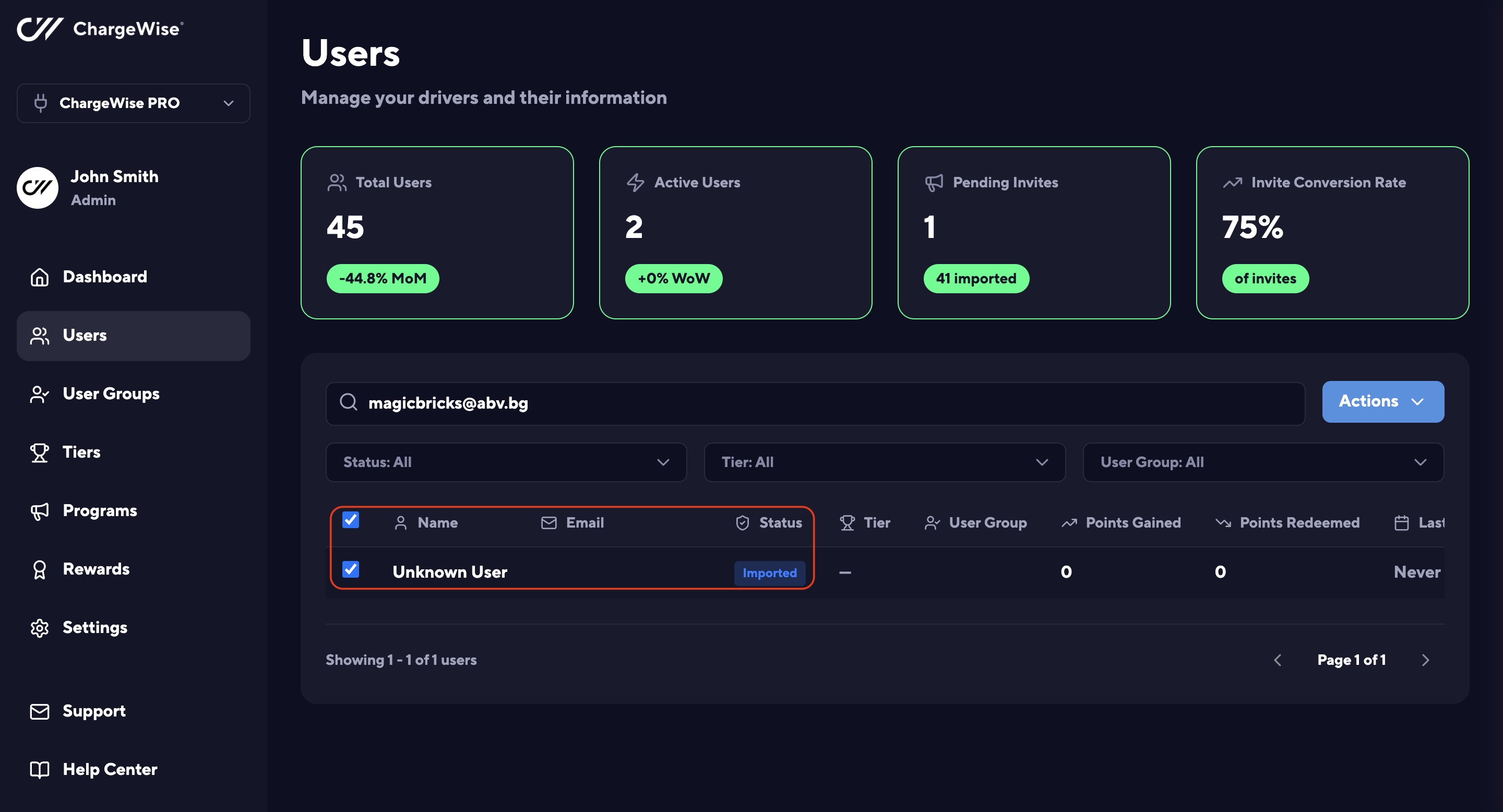
Select a User You want to invite to join in your Loyalty Program in ChargeWise
-
Navigate to the Actions drop-down menu > Invite Selected:
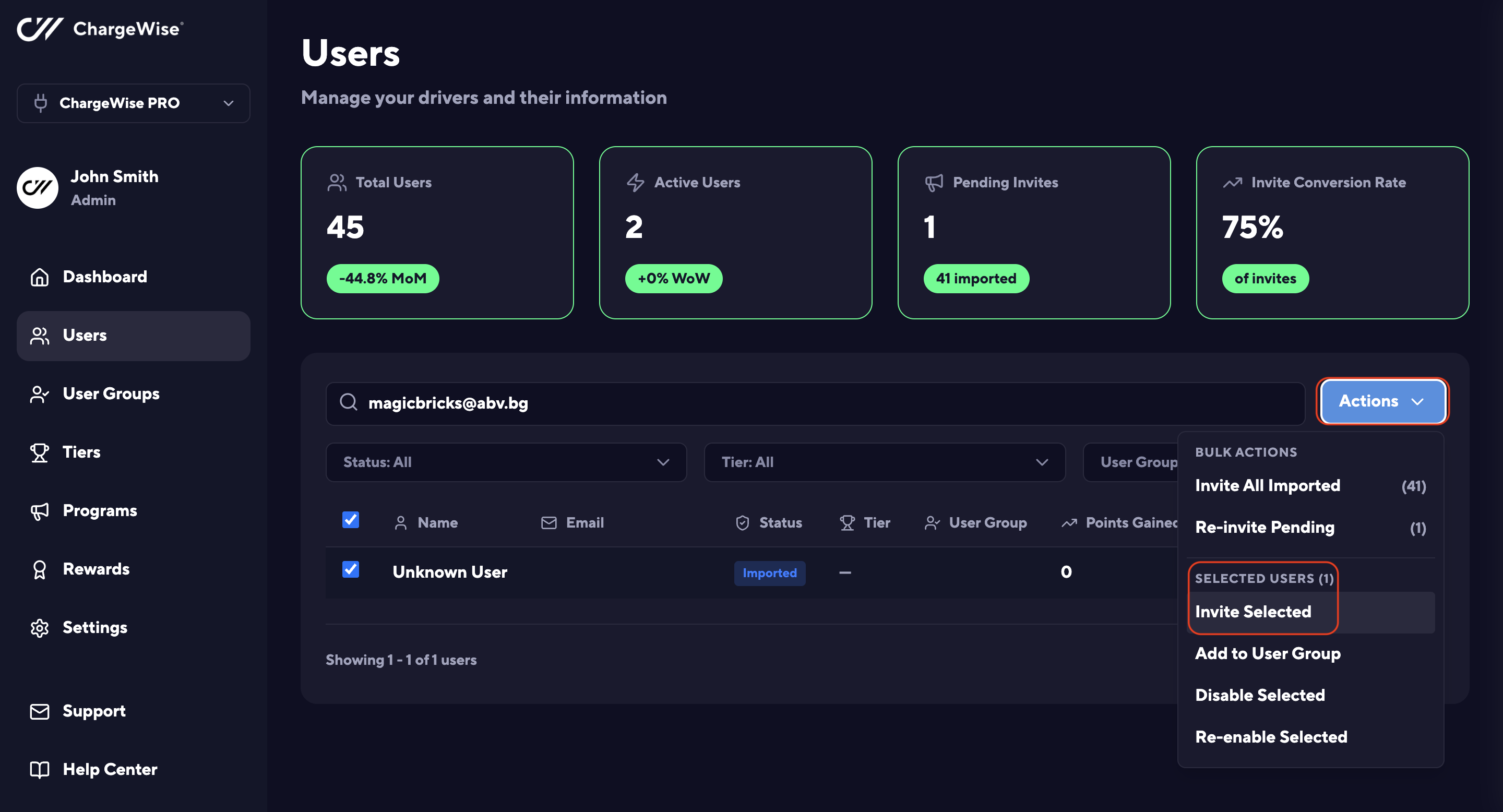
Invite Selected Users in ChargeWise -
Send Invites:
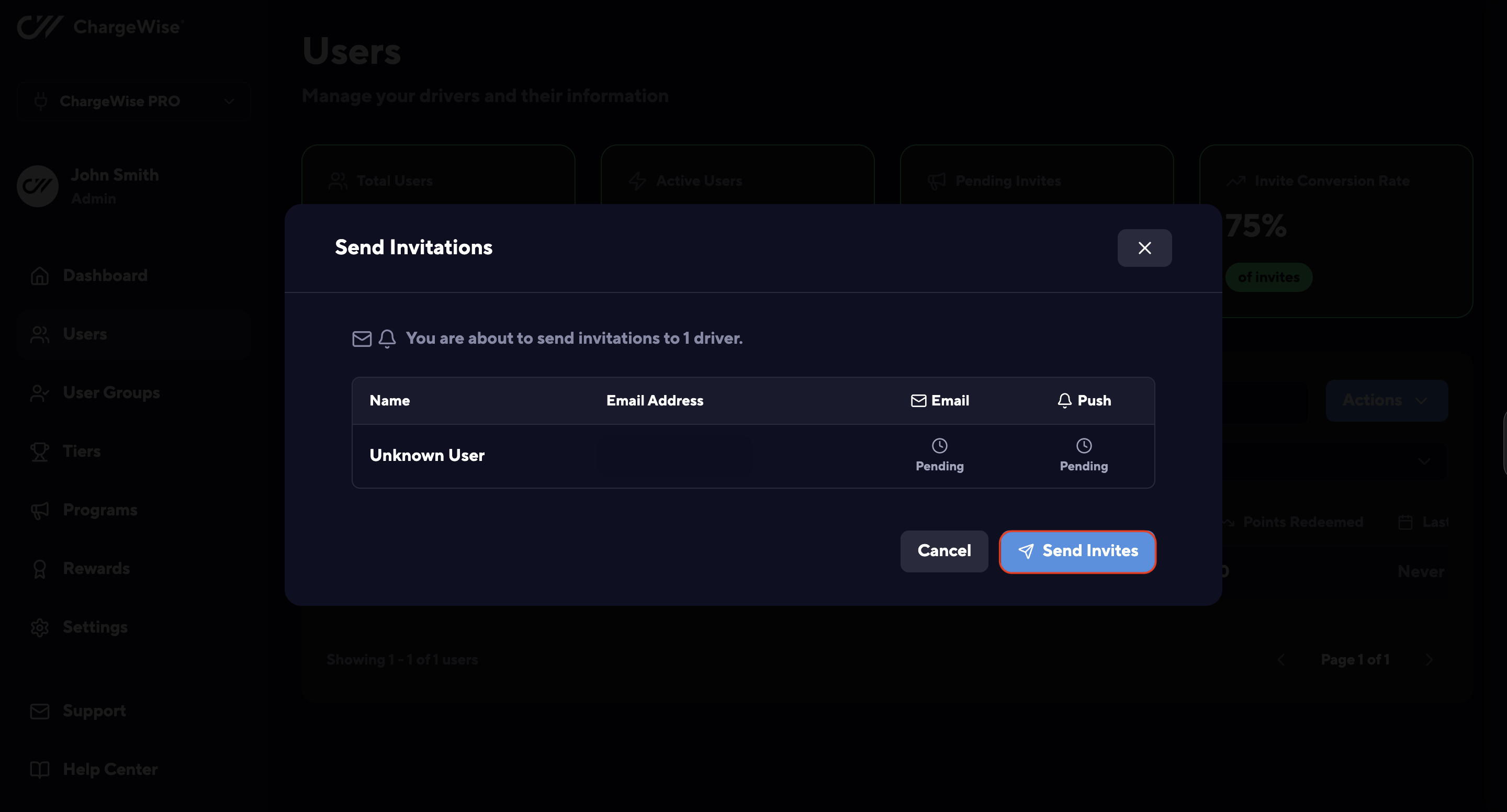
Send Invites to Users in ChargeWise
Please note that the EV Driver will receive notifications via 2 channels simultaneously:
-
Via e-mail:
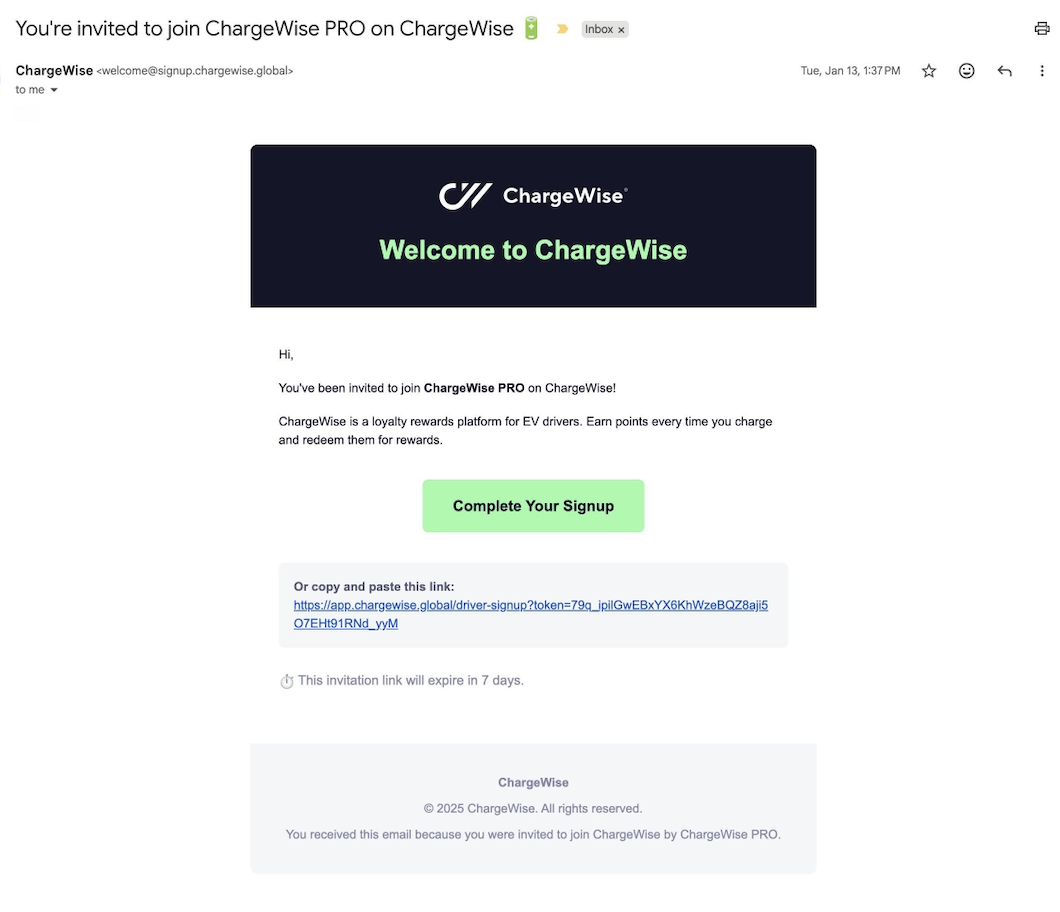
You're Invited to Join ChargeWise - Email Notification -
A push notification via the operator's mobile app:
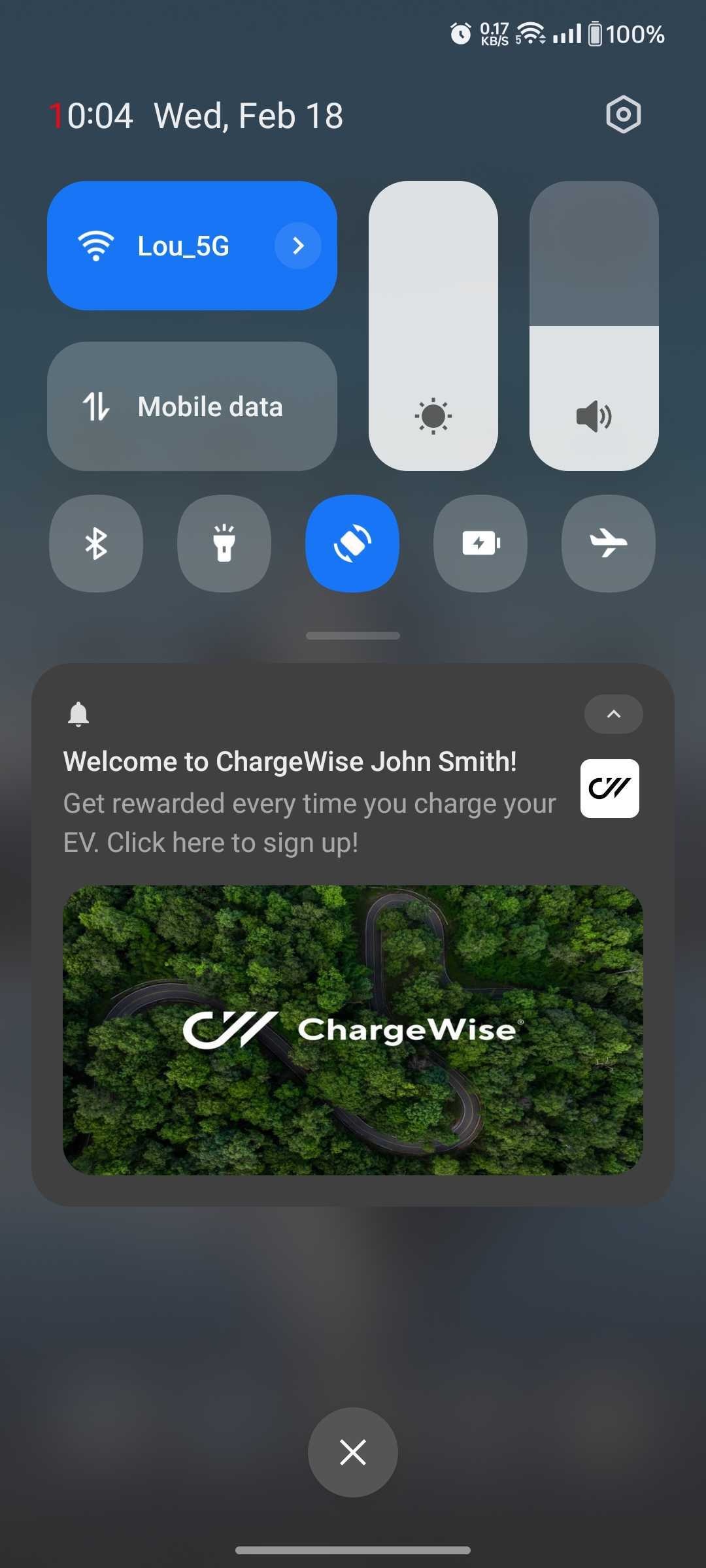
Welcome to ChargeWise - In-app Push Notification
